
Meraki vs UniFi for MSPs: The License Bill, Labor Bill, and Wi-Fi Client
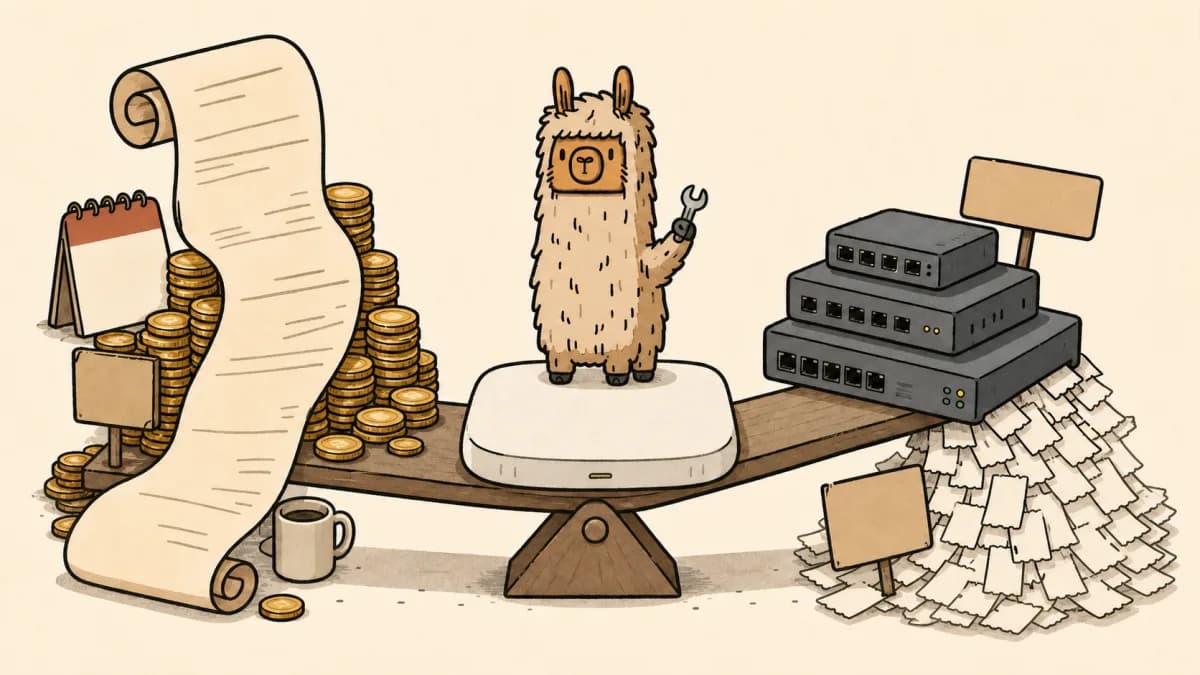
Quick answer: Meraki vs UniFi for MSPs is a trade between a higher, cleaner vendor bill and a lower hardware bill that can push more work onto the MSP. Meraki usually costs more in licensing and renewals. UniFi usually costs less upfront. The real decision is five-year client cost plus MSP operating cost: support ownership, firmware policy, replacement gear, remote administration, and whether the client thinks they only bought Wi-Fi.
That sounds obvious until the client sends you a shopping cart and asks why your network refresh quote is higher.
Now you are not comparing access points. You are explaining who owns support, who pays renewals, what happens when a license expires, who approves firmware changes, where spare gear sits, and whether the client is buying hardware or buying a managed network outcome.
For MSPs, the Cisco Meraki vs Ubiquiti conversation belongs in the same place as the client roadmap, the Meraki licensing plan, the Ubiquiti partner and support path, the Ruckus Unleashed vs UniFi support-math decision, and the project quote. Hardware price is only the visible part. The expensive part is usually the expectation gap.
What is the real Meraki vs UniFi decision for MSPs?
Meraki vs UniFi for MSPs is a delivery model decision. UniFi gives MSPs a lower-cost hardware path with more control over hosting, architecture, and client standards. Meraki gives MSPs a licensed cloud-management model with stronger vendor support, clearer renewal mechanics, and heavier client cost.
That means the better choice depends on the client, not your favorite console.
If the client treats IT as a cost center and needs solid networking without enterprise reporting theater, UniFi can be the practical answer. If the client expects formal support, tighter multi-site administration, cleaner reporting, and a vendor escalation path, Meraki is easier to defend.
The trap is pretending either platform fixes the MSP's own process.
Neither vendor will write your scope of work. Neither vendor will explain why firewall cleanup is out of contract. Neither vendor will stop a client from confusing cheap hardware with cheap operations.
The comparison table MSPs actually need
| Decision area | UniFi | Meraki | MSP risk |
|---|---|---|---|
| Upfront cost | Usually lower hardware cost and no mandatory cloud license | Higher hardware cost plus required licensing | Client anchors on box price instead of managed outcome |
| Five-year cost | Lower vendor bill, but more MSP-owned support and standardization work | Higher renewal bill, but more vendor-backed support and license visibility | The cheaper quote can become the more expensive account to support |
| Licensing | Ubiquiti positions Site Manager and UniFi OS Server around license-free management | Cisco says Meraki devices use licensed cloud management, commonly per device and per year | Renewal ownership becomes unclear if it was not scoped |
| Support | MSP, distributor, community, partner path, and optional coverage where purchased | Cisco Meraki support is part of the licensed operating model | Client may expect vendor-grade support from a cheaper stack |
| Multi-site work | UniFi Site Manager and Fabrics are getting more MSP-friendly | Meraki has mature multi-org MSP tooling | Better visibility can still create unpaid admin work |
| Replacement gear | Lower hardware price can make spares easier to justify | Spare strategy must account for hardware and license terms | No spare policy turns a small outage into an emergency quote |
| Quote fit | Good for clients who accept MSP-led standards and support boundaries | Good for clients who value accountability and licensing discipline | Bad discovery turns either option into margin leakage |
This is the whole argument: UniFi saves money when the MSP prices and owns the operating model. Meraki earns its price when the client values vendor-backed management enough to keep paying for it.
Five-year client cost is not just hardware
A five-year network decision has at least five bills.
First is the hardware bill. This is where UniFi usually looks better. A client can see access point, switch, and gateway prices online. They can compare them with Meraki hardware and feel like they caught the MSP padding the quote.
Second is the license bill. Cisco says Meraki hardware and licenses are sold separately, and that each current Meraki hardware component requires a cloud license to be managed. Its licensing FAQ also says unlicensed hardware will not pass traffic. Cisco Meraki Licensing FAQs
Third is the renewal bill. Cisco's co-termination docs say current Meraki products require valid licensing to operate, and that co-term licensing creates one expiration date for an organization based on active licenses and license limit. If an organization exceeds its license limits, it enters a 30-day grace period before it must be brought back into compliance or risk shutdown. Cisco Meraki Co-Termination Licensing Overview
Fourth is the support bill. With Meraki, the client is buying into a support model tied to the licensed platform. Cisco Meraki says its support process includes direct support, authorized reseller support during installations and troubleshooting, case ownership, lifecycle follow-up, and cloud visibility for support engineers. Cisco Meraki Support Process
With UniFi, the MSP often becomes more of the support layer. That can be fine. Many MSPs prefer it. But the lower vendor bill does not erase design work, controller ownership, firmware review, documentation, WiFi tuning, guest network policy, VLAN cleanup, or after-hours cutover planning.
Fifth is the replacement bill. Both stacks need spare gear and a hardware replacement policy. UniFi's lower hardware cost may make spares easier. Meraki's licensing model may make replacement planning cleaner if the client already accepts the renewal process. Either way, a no-spares plan is not a cost-saving strategy. It is an outage waiting for a procurement argument.
So the five-year question is not, "Which access point is cheaper?" It is, "Which model produces the lower total client cost without turning the MSP into free glue?"
Why UniFi is tempting for MSPs
UniFi is tempting because the hardware conversation is easy.
A client can see the price difference. They can Google it. They can buy gear directly. They can ask why the Meraki quote has license terms attached when the UniFi quote looks like a normal equipment purchase.
Ubiquiti leans into that contrast. Its April 2026 Site Manager article says the new Site Manager brings sites into a unified Fabric with centralized oversight, role-based management, identity provider support, orchestration, Canvas, and API-driven workflows. It also says the future of enterprise IT is "license-free" with UniFi and Site Manager. Ubiquiti, The New Site Manager - Now Official
Its UniFi OS Server post goes even harder at MSPs. Ubiquiti describes UniFi OS Server as a self-hosted software package for MSPs and enterprise teams that can run UniFi Network on their own server hardware, support many customer sites from a central footprint, fit into backup and compliance workflows, and keep data local when policy requires it. Ubiquiti, Introducing UniFi OS Server for MSPs
That is a useful story for MSPs with disciplined standards.
You can standardize around known hardware, keep client budgets lower, and build repeatable network packages. You can decide when cloud oversight is acceptable and when local control matters. You can include UniFi Fabrics and Site Manager in roadmap conversations instead of treating every network refresh as a one-off quote. If the standard includes UniFi Identity, use the UniFi Identity offboarding guide to price VPN, Wi-Fi, Door Access, and access review work clearly.
But cheap hardware has a side effect. It makes clients think the work is cheap too.
Where UniFi bites MSP margin
UniFi goes wrong when the client buys the box-price story but expects the Meraki service experience.
That mismatch shows up in small, annoying ways:
- The client wants lower hardware cost but expects formal reporting.
- The client wants no licensing fees but expects 24/7 vendor escalation.
- The client wants flexible self-hosting but expects the MSP to maintain the control plane for free.
- The client wants a network refresh but does not want to pay for cabling cleanup, firewall policy review, VLAN work, guest WiFi rules, or documentation.
- The client wants cheap access points but expects every future firmware issue to be included in managed services.
The new UniFi management story helps, but it does not erase these boundaries. Art of WiFi's API comparison notes that Site Manager API keys connect through unifi.ui.com, can help when direct controller access is hard, and can be useful for MSPs managing many remote client sites. It also notes tradeoffs: Site Manager API access depends on Ubiquiti cloud, requires cloud adoption, and works with UniFi OS consoles or UniFi OS Server, not every legacy self-hosted setup. Art of WiFi, UniFi API Authentication
That is exactly the kind of nuance that belongs in scope.
If the MSP is going to own API reporting, controller updates, role reviews, cloud adoption, backup posture, exception handling, and client education, that work needs a price. Otherwise UniFi becomes the classic MSP trap: cheaper quote, same support burden, worse margin.
This is the core of UniFi MSP support cost. The vendor line item may be lower, but the MSP labor line can grow if the client does not understand who owns the operating model.
Where Meraki earns the premium
Meraki is easier to defend because Cisco makes the operating model obvious.
Cisco says Meraki devices use the Meraki cloud for centralized management and control, and that the cloud is licensed on a per-device, per-year basis. You are not inventing a fee. You are quoting the model Cisco designed. The exact quote still depends on distributor pricing, term, model, and program status. But the pricing shape is clear: hardware plus license plus renewal workflow.
For MSPs, that clarity turns the client conversation from "Why are you charging me this?" into "This is the operating cost of the platform you chose."
Meraki earns the premium when the client values:
- Formal vendor support and case handling.
- Clear license visibility and renewal dates.
- Multi-site administration across customer organizations.
- Cleaner reporting for owners, boards, and compliance-sensitive teams.
- A more obvious escalation story when the MSP needs vendor help.
Cisco says MSPs often manage multiple customer organizations in Dashboard, each with independently managed licensing, users, and VPN peers. Its MSP Portal lets one login monitor and administer multiple Dashboard organizations, with views for organizations, networks, network tags, license status, license expiration, device counts, and open tickets. Cisco Meraki, Monitoring and Managing Multiple Organizations
That does not make Meraki automatically better. It makes the support and renewal model easier to explain.
Where Meraki hurts
Meraki hurts in the renewal cycle.
The co-term model is an account-management process, not a footnote. An MSP needs to know which clients are on co-term licensing, which devices count against license limits, which orgs have stale hardware sitting around, and which renewals need a budget line before the next QBR.
Cisco's newer subscription licensing changes some of that work, but it does not remove the need to plan. Cisco says subscription terms can run from 36 to 84 months, subscription SKUs are hardware agnostic within a device family, and subscription licenses bind to networks rather than the whole organization. It also says subscription keys cannot be claimed by organizations currently using active legacy co-term or per-device licensing models. Cisco Meraki Subscription Licensing Overview
If you sell Meraki without a renewal and subscription plan, you are not selling Meraki. You are selling a future fire drill with nicer branding.
The client may love the network and still hate the invoice. That is why Meraki belongs in the roadmap before the renewal date, not in a panicked email after finance asks why Wi-Fi has an annual bill.
UniFi vs Meraki small business decision matrix
Small business clients are not all the same. A five-person design studio, a 60-seat law firm, a multi-site dental group, and a warehouse with bad cabling can all call themselves SMBs. They should not all get the same network story.
| Client situation | Better default fit | Why | Scope warning |
|---|---|---|---|
| Single-site, cost-sensitive office with simple needs | UniFi | Lower hardware cost and MSP-led standard can be enough | Define support hours, controller ownership, firmware policy, and replacement gear |
| Multi-site client with owners asking for reporting | Meraki or tightly scoped UniFi | Reporting, visibility, and administration matter more than box price | Do not let multi-site visibility become unpaid cleanup work |
| Compliance-sensitive client with board-level expectations | Meraki | Cleaner vendor support and renewal discipline are easier to defend | Budget renewals early and document the support model |
| Client insists on buying gear direct | Usually neither without a boundary reset | Procurement behavior is a support risk | Separate hardware resale, installation, support, and warranty ownership |
| MSP has a mature UniFi standard and spare pool | UniFi | Repeatable design can keep cost down and support predictable | Price the standard, not just the hardware |
| Client wants a Meraki to UniFi migration | UniFi only after discovery | Savings may be real, but migration risk sits with the MSP | Scope licensing overlap, rollback, SSIDs, VLANs, firewall policy, and documentation |
| Growing client with multiple locations coming soon | Depends on account plan | Future sites change the economics | Put site expansion into the roadmap before the first quote |
This is the practical rule: choose UniFi when the client accepts an MSP-owned model. Choose Meraki when the client values vendor-backed accountability and will pay for it. Pause when the client wants UniFi pricing with Meraki expectations.
Meraki to UniFi migration is not just a hardware swap
A Meraki to UniFi migration can make sense when the client hates renewals, has simple network needs, and trusts the MSP to own the standard. It can also become a mess if the only goal is removing the license line.
Before recommending a migration, scope the real work:
- Current license model, expiration dates, grace periods, and renewal commitments.
- SSIDs, VLANs, DHCP, DNS, firewall rules, VPNs, guest access, and authentication.
- Switch power budgets, cabling assumptions, mounting, coverage, and existing dead zones.
- Controller ownership, admin access, backups, logging, role access, and recovery.
- Firmware policy, maintenance windows, rollback criteria, and client communication.
- Spare gear, hardware replacement path, distributor process, and support escalation.
- Documentation updates and acceptance testing after cutover.
If the migration includes firewall or gateway changes, treat it as a network project, not a WiFi refresh. The same goes for a client considering UniFi Enterprise Firewall Core. The hardware may look clean. The change window, rollback plan, and support promise still need a price.
The quote checklist MSPs should use
Do not quote Meraki vs UniFi as a line-item contest. Quote the outcome and then show what changes by platform.
A clean network refresh quote should include:
- Current-state assessment. Device inventory, cabling assumptions, internet circuits, firewall policies, VLANs, WiFi coverage, guest access, vendor ownership, licensing status, and known risks.
- Platform recommendation. Why UniFi or Meraki fits this client, including support expectations and renewal impact.
- License term. Meraki term, co-term or subscription model, expiration date, and renewal owner. For UniFi, note any support plan, partner path, or vendor coverage being purchased.
- Controller ownership. Who owns the UniFi console, Site Manager access, Meraki org, admin roles, MFA, backup posture, and offboarding process.
- Firmware policy. Approval rules, maintenance windows, testing path, rollback criteria, and emergency patch process.
- Spare gear and replacement. Which devices have spares, where they live, who pays, and what counts as included labor.
- Support SLA. What is included in managed services, what is excluded, what gets quoted separately, and what vendor escalation can or cannot do.
- Roadmap items. Cabling cleanup, firewall policy cleanup, WiFi redesign, device refresh, compliance reporting, and future site expansion.
- Approval trail. Who approves admin access, vendor changes, security policy, renewal decisions, and out-of-scope remediation.
This is where Scopable fits naturally. Scopable helps MSPs turn network findings into client roadmaps, budgets, quotes, approvals, and project handoff instead of burying the real work inside a messy spreadsheet. If a platform decision changes scope, margin, or renewal risk, it belongs in the client-facing plan.
That is also why the quote should not start with a shopping cart. It should start with a scoped decision.
How to explain the choice to clients
Use plain language. Clients can smell padded vendor talk.
Try this for UniFi:
UniFi keeps the equipment and renewal cost lower, but our team becomes more responsible for the operating model. That means we need clear scope for controller ownership, documentation, monitoring, admin access, firmware policy, spare gear, and future changes.
Try this for Meraki:
Meraki costs more because licensing, cloud management, and vendor support are built into the model. If you want that accountability, we should budget the renewal cycle and manage it as part of your roadmap.
Try this when the client only cares about price:
We can reduce hardware cost, but we cannot reduce the engineering work to zero. The cheaper platform only works if we define what support includes and what gets quoted separately.
That last line is the one MSPs need most.
Final verdict
Meraki vs UniFi for MSPs comes down to the support model more than the access point.
UniFi is the better fit when the client trusts the MSP's standard, wants lower recurring vendor cost, and will accept clear boundaries around support, management, and future changes.
Meraki is the better fit when the client values vendor-backed support, licensing visibility, and multi-site administration enough to budget for it every renewal cycle.
The wrong answer is quoting the cheaper hardware and hoping the client understands the tradeoff. They will not. Spell it out, price the work, and put the decision in the roadmap.
If you want to turn network findings into budgets, quotes, approvals, and project handoff without rebuilding the same spreadsheet every month, start Scopable for free.
Frequently Asked Questions
Is UniFi or Meraki better for MSP clients?
UniFi is usually better when the client needs lower hardware cost and accepts an MSP-led support model. Meraki is usually better when the client values vendor-backed cloud management, formal support, and renewal discipline enough to keep paying for it.
Why is UniFi cheaper than Meraki for MSP projects?
UniFi is cheaper mainly because it does not require the same mandatory cloud license model. The risk is that the MSP may still own controller maintenance, documentation, monitoring, and client support, so the quote has to price that work clearly.
When is Meraki worth the higher price for MSPs?
Meraki is easier to justify when the client has multiple sites, wants stronger vendor support, needs cleaner license visibility, and can budget renewals without treating every invoice as a surprise. It is a poor fit when the client only wants the cheapest hardware.
Should an MSP standardize on UniFi or Meraki?
An MSP can standardize on either platform, but the standard must include discovery, support boundaries, renewal handling, admin access, documentation, and exception rules. The platform choice matters less than whether the client understands what is included.
What should MSPs include in a UniFi or Meraki network quote?
Include current-state assessment, hardware, licensing, configuration, cutover, documentation, recurring support boundaries, future roadmap items, and approval ownership. Do not quote only the shopping cart and hope the client understands the operational work.