QuickBooks Desktop Update Errors for MSPs: Price the App Tax
QuickBooks Desktop update errors are not just a QuickBooks problem. They are an MSP scope problem wearing an Intuit logo.
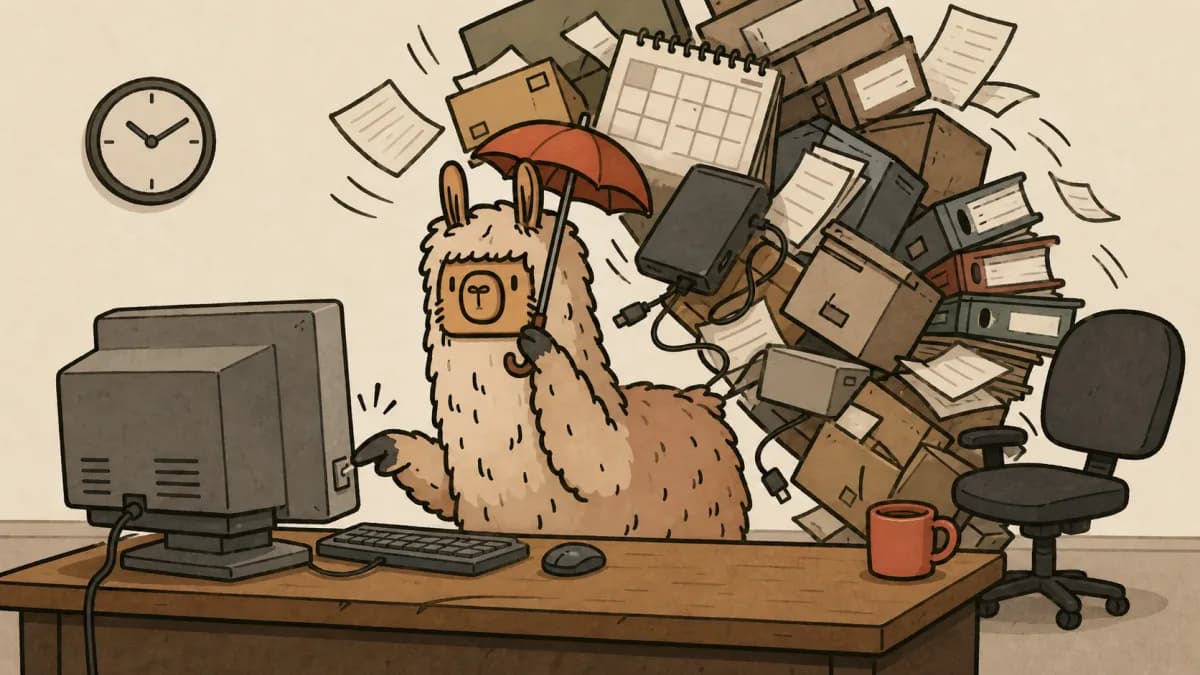
A client asks if you can "just update QuickBooks real quick." Then the installer finds an older version. The shared company file lives on a machine nobody documented. Payroll timing makes rollback risky. The accountant is unavailable. By lunch, a tiny app update has become unpaid project work with a bookkeeping department staring at you.
That is the app tax. It shows up whenever a line-of-business tool is important enough to stop the client, but not important enough to have an owner, update window, backup plan, or support boundary.
If your team already uses a real MSP project scoping process, QuickBooks Desktop belongs in it. If it is still being handled as help desk noise, your MSP pricing and margin protection plan has a hole in it.
The short answer
QuickBooks Desktop updates should be treated as controlled app maintenance, not casual ticket work. Before touching the update, confirm the version, file host, backup status, user count, payroll timing, permissions, Intuit support path, rollback plan, and billing boundary. If any of those are unknown, the work should move into a scoped project or paid remediation block.
Why QuickBooks Desktop updates still land on MSPs
QuickBooks Desktop is exactly the kind of app that creates ugly support ambiguity.
It is local enough that the MSP gets blamed when it breaks. It is business-critical enough that downtime feels urgent. It is vendor-owned enough that Intuit still controls fixes, release cadence, and some support paths.
Intuit's own docs prove the update path is not a single-button fairy tale. There is one guide to update QuickBooks Desktop to the latest release, another for QuickBooks Desktop update errors, another for firewall and security settings, and separate QuickBooks Desktop 2024 release notes.
That does not make QuickBooks bad by itself. It means an MSP should stop pretending the update is tiny just because the request sounds tiny.
The r/msp thread that kicked this topic back up was blunt: the poster said a "whole bunch of computers" needed QuickBooks Desktop 24 updates, but the update crashed when an older version was installed. Old Reddit showed 36 points and 69 comments on the complaint. The thread is anecdotal, and it is a useful smoke alarm. MSPs recognize this pain fast.
The preflight checklist before you update anything
Run this before the first installer opens.
1. Version and install inventory
Document every machine with QuickBooks Desktop installed, including old versions. Intuit notes that multiple installs of the same version year on one computer can cause update errors, so do not assume the endpoint state is clean.
Capture:
- QuickBooks year and release number
- Desktop, server, and Remote Desktop hosts
- Database Server Manager version
- Single-user or multi-user mode
- Payroll components, if present
- Any older versions still installed
If you do not know the install map, you are not updating. You are gambling.
2. Company file and backup state
Find the company file host before the update window. Confirm the file path, current backup, last verified restore, and who can approve downtime.
A backup that exists but has never been restored is not a rollback plan. It is a comfort object.
3. User count and work timing
QuickBooks downtime hits differently when payroll, month-end close, invoicing, or accountant access is in play. Ask when the client actually needs the file and who must be out of the app.
If the answer is "everyone needs it all day," the update is not help desk work. It is scheduled maintenance.
4. Network and firewall path
Intuit's firewall guidance calls out QuickBooks File Doctor, manual firewall rules, program exceptions, and dynamic ports for Desktop 2019 and later. That means network pathing is part of the job, not an edge case.
Before the update, know whether the file host, workstation firewall, endpoint security, VPN, or RDS policy can block the app after patching.
5. Vendor support boundary
Write down what your MSP owns and what Intuit or the accountant owns.
You can own endpoint readiness, backup verification, install sequencing, maintenance scheduling, and post-update access testing. Intuit owns product bugs. The accountant owns accounting workflows and file content decisions. The client owns approval for downtime and billable remediation.
If nobody says this out loud, the MSP owns everything by default. Convenient for the client. Terrible for margin.
What belongs in managed service vs billable work
Not every QuickBooks request needs a project. Some work is fair help desk coverage. The boundary has to be written before the bad update.
| Work item | Usually managed service | Usually billable project work |
|---|---|---|
| Confirm installed version | Yes | No |
| Run a standard maintenance release on one healthy workstation | Often | Sometimes, if after hours or high risk |
| Update multiple workstations plus a shared file host | Sometimes | Yes, if coordination or downtime is required |
| Repair update errors, firewall issues, or broken multi-user access | Limited triage | Yes |
| Clean up old versions and undocumented installs | No | Yes |
| Coordinate accountant, payroll, and rollback timing | No | Yes |
| Rebuild the app environment after years of neglect | No | Absolutely yes |
The rule is simple: routine maintenance can be included. Unknown app debt should be quoted.
This is the same logic behind a good MSP SLA template. The SLA should define what support response means. It should not quietly turn every vendor app problem into unlimited remediation.
A client script for the awkward part
Use plain language. The client does not need an essay about installers.
QuickBooks Desktop updates can be simple, but this environment has a few risk points we need to verify first: the shared company file, old installed versions, backup status, and who can approve downtime. We can do a limited preflight under support. If we find version conflicts, broken multi-user access, or rollback risk, we will quote the cleanup before making changes. That protects your books and prevents this from becoming emergency work during business hours.
That script does three useful things:
- It explains the risk without drama.
- It gives support a defined preflight role.
- It creates a clean handoff from ticket work to quoted work.
You are not refusing to help. You are refusing to pretend accounting software is a browser update.
Put app debt into the roadmap
QuickBooks pain should not disappear after the ticket closes. If a client has aging line-of-business apps, undocumented file hosts, old versions, and no tested backup, that belongs in the client roadmap.
Track recurring app debt like this:
- Which clients run QuickBooks Desktop or similar local apps
- Which machines host business-critical files
- Which apps lack a named business owner
- Which vendor support contracts are active
- Which apps require after-hours update windows
- Which clients need migration, cleanup, or replacement planning
This turns "QuickBooks broke again" into a roadmap item, a budget conversation, and eventually a quote. That is much healthier than letting the same app steal margin three times a year.
Where Scopable fits
Scopable is useful here because the hard part is not remembering that QuickBooks exists. The hard part is turning scattered app risk into client-facing work: assessment findings, roadmap items, budgets, scopes, and quotes.
If a QuickBooks preflight shows old versions, no restore proof, unclear ownership, or risky payroll timing, that finding should not die in a ticket note. It should become a client-visible gap with a price, owner, and next step.
That is how MSPs stop eating the app tax.
Final take
QuickBooks Desktop updates are not beneath your process. They are exactly why the process exists.
The client hears "update." Your team should hear "business-critical app, shared data, vendor dependency, rollback risk, and maybe a billable cleanup." That does not mean every ticket becomes a project. It means your MSP stops donating engineering time to app environments nobody maintained.
Build the preflight. Draw the boundary. Put recurring app debt on the roadmap. Then quote the work before the next "real quick" request eats your week.
If you want the quoting and roadmap side of that workflow to stop living in spreadsheets, start Scopable for free.