
Microsoft Defender for Business vs Huntress for MSPs: Included Security Still Needs an Owner
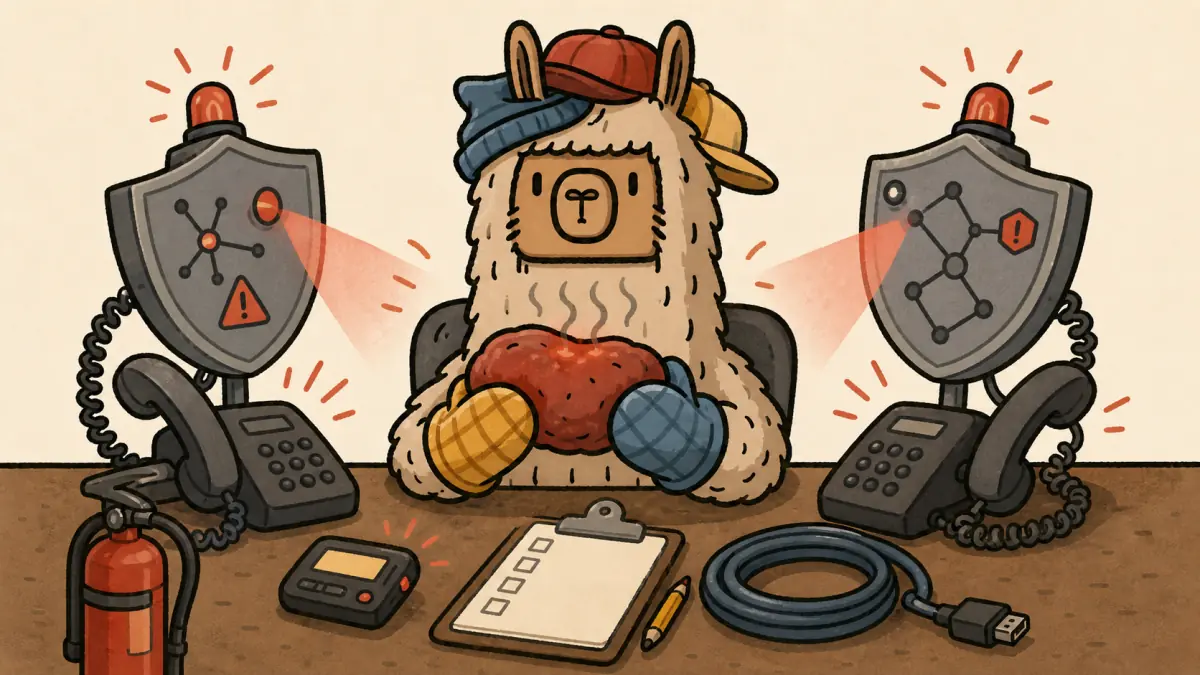
Microsoft Defender for Business vs Huntress is the wrong fight if you frame it as product against product.
For most MSPs, the real question is uglier and more useful: if Defender is already included in the client's Microsoft spend, who owns the security outcome after the license turns on?
Microsoft gives SMBs a serious endpoint security base. Huntress adds a managed service layer around monitoring, investigation, response, and human review. Those are different jobs. Confusing them is how an MSP ends up promising managed security while the actual alert workflow is one shared mailbox, two undocumented Intune policies, and a tech who checks the portal when the week is already on fire.
Quick answer: should MSPs use Microsoft Defender for Business or Huntress?
MSPs should treat Microsoft Defender for Business as an endpoint security platform and Huntress as a managed security service layer. Defender can provide prevention, EDR, automated investigation, and Microsoft portal signals. Huntress adds managed review, threat hunting, response guidance, and MSP-facing operational help. The right choice depends on who owns alerts after deployment.
| Decision area | Microsoft Defender for Business | Huntress |
|---|---|---|
| Core job | Endpoint protection for SMB tenants | Managed detection, investigation, and response around endpoint signals |
| Best fit | Microsoft-heavy clients with clear MSP security operations | MSPs that need human review and response help without building a full SOC |
| Main risk | Treating included licensing as included service delivery | Treating managed review as a replacement for clear client scope |
| MSP packaging question | Who configures, monitors, responds, and reports? | What exactly does Huntress handle, and what still stays with the MSP? |
The answer is not "Defender bad" or "Huntress good." That is vendor-brained nonsense. The answer is responsibility.
What Defender for Business actually gives MSP clients
Microsoft says Defender for Business is an endpoint security solution based on Microsoft Defender for Endpoint, designed for small and medium-sized businesses up to 300 users. It is available as a standalone subscription and is included in Microsoft 365 Business Premium.
That matters because a lot of MSP clients already own the license rights. They may not own the operating model.
Microsoft lists Defender for Business capabilities that include next-generation protection, attack surface reduction, optimized EDR, automated investigation and remediation, automatic attack disruption, cross-platform client support, monthly security summary reporting, and Microsoft 365 Lighthouse support for CSPs. The Defender for Business FAQ also says each user license can secure up to five client devices, while servers require extra licensing.
So no, Defender for Business is not fake security. It is not Windows Defender from 2009 wearing a tie. It is a real part of the Microsoft security stack.
But Microsoft also documents a setup path that includes getting the subscription, adding users, assigning licenses, granting security roles, setting up email notifications, onboarding devices, and reviewing security policies. The setup guide says those steps can run through a wizard or be done manually. Either way, somebody has to do the work.
That is where MSPs get sloppy.
A license can be included. Configuration is not. Alert ownership is not. Client-facing explanation is not. Renewal proof is definitely not.
What Huntress adds to the Microsoft security stack
Huntress positions its Microsoft story as additive, not as a rip-and-replace crusade. Its Managed Microsoft Defender page says Huntress Managed EDR integrates with Microsoft Defender for Endpoint, Defender for Business, and Defender for Endpoint for macOS to improve threat monitoring, detection, and response.
The same page says Huntress can centrally manage configurations, exclusions, detections, scans, protections, and remediation actions for protected endpoints when paired with Microsoft Defender Antivirus. Its Microsoft partnership page says Huntress Managed EDR works with Microsoft Defender AV, Defender for Business, and Defender for Endpoint, and frames the value around endpoint coverage, visibility, containment, and remediation.
That is the useful distinction. Huntress is not interesting because it has a shinier noun. Huntress is interesting because it can give an MSP a managed layer around a security stack the client may already be paying for.
Huntress also sells the human part loudly. Its SOC page says Huntress analysts own decisions and response 24/7/365. Its Managed EDR page says many teams cannot afford a 24/7 SOC to monitor endpoints, prioritize threats, and respond, so Huntress combines technology, human oversight, and an AI-assisted SOC.
Strip the vendor polish away and the MSP version is simple: Huntress helps answer the question, "Who looks at this when it matters?"
That is worth money if your current answer is "the ticket board, hopefully."
The comparison MSPs should actually care about
Most comparison pages ask which tool has more features. That is fine if you are buying software for a lab. MSPs are selling outcomes to clients who do not want to learn your acronyms.
Use this instead.
| Responsibility | Defender for Business only | Defender plus Huntress | MSP question to answer |
|---|---|---|---|
| Licensing | Included in Business Premium or sold standalone for eligible SMBs | Huntress added as a managed service layer | Is the client paying for a tool, a service, or both? |
| Configuration | MSP or client configures policies, onboarding, roles, notifications, and exceptions | Huntress may help manage Defender-related configurations and detections within its service | Who owns tenant hardening and policy drift? |
| Alert visibility | Microsoft portal, notifications, Lighthouse, APIs, RMM or PSA integrations | Huntress reviews and acts on signals in its managed workflow | Who is watching after hours? |
| Investigation | Microsoft incidents and alerts provide evidence, correlation, and response tools | Huntress threat hunters and SOC analysts review suspicious activity | Who decides whether the alert is real? |
| Response | Automated investigation, remediation, attack disruption, and manual actions depend on setup and permissions | Huntress provides remediation guidance and, where covered, active remediation | Who can isolate, remediate, notify, and document? |
| Client reporting | Microsoft has reporting and APIs, but the MSP still packages the story | Huntress provides managed-service context the MSP can use in client conversations | What proof goes into QBRs, renewals, and insurance requests? |
This is why "included" is a dangerous word.
Included in the license does not mean included in your managed services agreement. It does not mean included in your SLA. It does not mean included in your cyber-insurance evidence packet. It means the entitlement exists. The work still needs a name, owner, process, and price.
Where MSPs get burned with Defender-only packaging
Defender-only can be the right answer. It just cannot be a lazy answer.
Microsoft's partner resource page says SMB customers often need help with setup and configuration, device and network security management, and addressing alerts or detected threats. It also tells MSPs they can integrate Microsoft endpoint security with RMM and PSA tools, get access to customer Defender portals, receive email notifications, fetch incidents and alerts with SIEM tools, and orchestrate remediation actions through Defender for Endpoint APIs.
That is good. It is also a list of places your process can break.
1. The tenant is half configured
The most common Defender failure is not that Microsoft forgot how to detect malware. It is that the MSP never finished the operating basics: roles, onboarding, notification rules, policy review, device coverage, exclusions, and Intune policy fit.
Microsoft's setup documentation calls out these tasks plainly. Defender does not remove them. It just gives you a guided path for doing them.
2. Alerts exist, but ownership does not
Microsoft defines alerts as signals from threat detection activity and incidents as containers that group related alerts into a broader attack story. The Defender incidents documentation says incidents help teams manage and document investigations and response.
That is useful only if somebody is assigned to investigate.
An incident queue with no owner is not managed detection. It is a museum of bad possibilities.
3. Notifications are pointed at people, not process
The Defender email notification docs say notification rules can email the security team when alerts or vulnerabilities are generated. They also note that notification rules must be assigned to specific users and cannot be applied to device groups in Defender for Business.
That is a tiny operational detail with sharp teeth. If the mailbox belongs to a departed tech, if the user is not in the escalation rotation, or if nobody mapped notifications into the PSA, your "managed" security path is already fiction.
4. Reporting becomes a renewal fight
A client asks, "What did you do for security this quarter?"
If the MSP has no clean report, no investigation notes, no exception log, and no responsibility matrix, the answer becomes vibes. Clients do not renew high-margin services because of vibes.
They renew because the MSP can show what was configured, what changed, what was reviewed, what was stopped, what still needs a decision, and what the client owns next.
Where Huntress changes the operating model
Huntress helps when the MSP does not want Defender signals to become another pile of unowned noise.
That does not mean the MSP gets to stop thinking. Huntress is not a magic parent who signs your client agreement for you. It changes the work split.
With Huntress in the stack, the MSP can package the service more honestly:
- Microsoft Defender for Business provides endpoint protection and Microsoft-native security signals.
- Huntress adds managed review, threat hunting, response guidance, and SOC coverage around covered activity.
- The MSP still owns onboarding, client communication, agreement scope, business decisions, exception approvals, billing, and the final client relationship.
That middle line is the value.
If a suspicious event appears after hours, the MSP wants more than a portal card. It wants someone qualified to decide whether this is noise, a real compromise, or the first move in a worse chain. Huntress sells that decision layer.
The MSP still needs to define escalation. Who can approve isolation? Who calls the client? Who documents incident notes in the PSA? Who tells the insurance carrier if the client asks for evidence? Who reviews recurring false positives and exclusions so the stack does not slowly become decorative?
Huntress can improve the workflow. It cannot rescue a service offering that was never scoped.
The client-facing responsibility matrix
Use a responsibility matrix before you sell the stack. Not after the bad day.
| Activity | MSP owns | Client owns | Huntress may own if contracted |
|---|---|---|---|
| License selection | Recommend Business Premium, Defender standalone, Huntress, or broader MDR stack | Approve budget and business risk tolerance | Not usually |
| Defender tenant setup | Configure roles, onboarding, notifications, policies, and integrations | Provide user lists, device access, and approvals | Support covered Defender management functions |
| Endpoint coverage review | Track onboarded devices, stale devices, and unmanaged endpoints | Approve remediation for unmanaged or personal devices | Surface covered endpoint visibility gaps |
| Alert triage | Own escalation path and PSA workflow | Provide business context and incident contacts | Review covered signals and threat activity |
| Containment and remediation | Execute approved actions or coordinate with Huntress | Approve disruptive actions where required | Provide remediation guidance or covered response actions |
| Client reporting | Package evidence for QBRs, renewals, and insurance conversations | Review risk decisions and accept exceptions | Provide findings and managed-service context |
This is the same muscle MSPs should already use for compliance work. If you need a broader template, start with the MSP shared responsibility matrix and adapt it for endpoint security.
The point is not paperwork. The point is preventing the sentence every MSP dreads: "I thought you were handling that."
Packaging options for MSPs
There are three sane ways to package this. Pick one on purpose.
Option 1: Microsoft-only baseline
This is for clients who need a practical SMB security baseline and are not buying managed response.
Include Defender for Business setup, device onboarding, baseline policy review, notification routing, monthly or quarterly reporting, and clear escalation limits. Price the labor. Do not hide it inside the license margin.
This works best for smaller clients with lower complexity, clean Business Premium licensing, and an agreement that says exactly what the MSP watches and what it does not.
Option 2: Defender plus Huntress managed response layer
This is the most natural comparison point for many Microsoft-heavy MSPs.
Defender gives the endpoint security base. Huntress adds managed review and response coverage around the signals it supports. The MSP packages the whole thing as a security service with documented responsibilities, escalation rules, and evidence for client conversations.
This works best when the MSP wants stronger coverage but does not want to staff a full SOC or make every endpoint alert an internal fire drill.
Option 3: Broader MDR or SIEM stack
Some clients need more than endpoint. They need identity monitoring, email security, log ingestion, compliance reporting, firewall telemetry, or insurance-driven evidence. That can mean Huntress plus additional modules, Microsoft Sentinel, another MDR provider, or a larger security program.
Be careful here. Bigger stacks create bigger promises. If you add SIEM, identity, email, and compliance language, your agreement needs to say what is monitored, what response means, what evidence is produced, and what remains outside scope. If Microsoft Sentinel is on the shortlist, use the Blumira vs Microsoft Sentinel for MSPs comparison to test pricing predictability, Azure ownership, and SIEM service scope.
For adjacent endpoint decisions, the SentinelOne vs CrowdStrike for MSPs comparison is useful. If the client wants a broader security bundle, compare Coro vs Guardz for MSPs by response ownership instead of vendor menu length. For the contract side, the MSP compliance pricing guide is the better next read.
If the broader stack conversation starts with inbox risk, use the Barracuda Email Protection vs Defender for Office 365 comparison to separate email-security tooling from managed-service labor.
If the shortlist has shifted from Microsoft base coverage to vendor-bundled MDR, use the Kaseya MDR vs Huntress comparison to test bundle math, SOC proof, PSA workflow, and cleanup scope.
If the client wants a more traditional endpoint-security platform before deciding on MDR, use the ESET PROTECT vs Bitdefender GravityZone comparison to test policy ownership, OS caveats, MSP integration paths, and the service scope hiding behind the agent.
How Scopable fits this decision
Scopable is best for MSPs that need to turn technical security promises into priced, repeatable scope. Defender configuration, Huntress coverage, client responsibilities, reporting evidence, and renewal recommendations should not live in three engineers' heads. Scopable helps turn that messy client baseline into assessment and quote work before the renewal conversation gets spicy. start Scopable for free.
That is the business problem hiding under this comparison. The tool choice matters. The scope choice matters more.
The practical verdict
Use Microsoft Defender for Business when the client is Microsoft-heavy, eligible, and the MSP has a real process for setup, monitoring, alert handling, response, and reporting.
Add Huntress when the MSP wants human review, managed threat hunting, response guidance, and a clearer managed-service layer around Microsoft endpoint signals.
Do not sell either one as "we handled security" unless the agreement says who owns each part of the work.
The cleanest MSP answer is usually not Defender or Huntress. It is Defender plus an honest service model. Sometimes that model includes Huntress. Sometimes it does not.
What cannot happen is the cheap version: Defender is included, so nobody prices the labor, nobody watches the queue, nobody documents response, and everyone acts surprised when the client expects an outcome.
Security tools do not absolve MSPs of responsibility. They make the responsibility easier to define. If you define it before the sale, you have a service. If you define it after an incident, you have a meeting with bad lighting.
Frequently Asked Questions
Should MSPs choose Microsoft Defender for Business or Huntress?
MSPs should treat Microsoft Defender for Business as the endpoint security base and Huntress as a managed security layer around monitoring, investigation, and response. The right choice depends less on feature lists and more on who owns alerts, remediation, reporting, and client escalation. For more detail, see Defender for Business vs Huntress comparison.
Is Microsoft Defender for Business enough for MSP clients?
Defender for Business can be enough for some MSP clients if it is fully configured, monitored, documented, and tied to a clear response process. If alerts are not owned or after-hours response is vague, the license exists but the managed security service does not.
Does Huntress replace Microsoft Defender for Business?
Usually no. Huntress commonly works with Microsoft Defender signals and adds managed review, threat hunting, and response workflow around covered activity. MSPs should scope which parts are handled by Microsoft, Huntress, the MSP, and the client instead of treating one tool as a total replacement.
Who should own Microsoft Defender alerts in an MSP agreement?
The agreement should name the owner for Defender alert triage, after-hours escalation, remediation approval, client notification, reporting, and exception review. If the owner is not named, the MSP has a service delivery gap even if Defender is correctly licensed.