Ingram Micro Xvantage Integration Setup Guide for MSPs
Most MSPs still price and source hardware by bouncing between distributor tabs and quote drafts. Connecting Ingram Micro to Scopable removes that manual hop so pricing and availability pull directly into your quoting workflow.
You do not need to write code or build an API client. You just need an approved Ingram production app and three credentials.
How to Set It Up
The setup lives in Scopable under Settings > Integrations > Ingram Micro. Once your Ingram production app is approved, enter your credentials and connect.
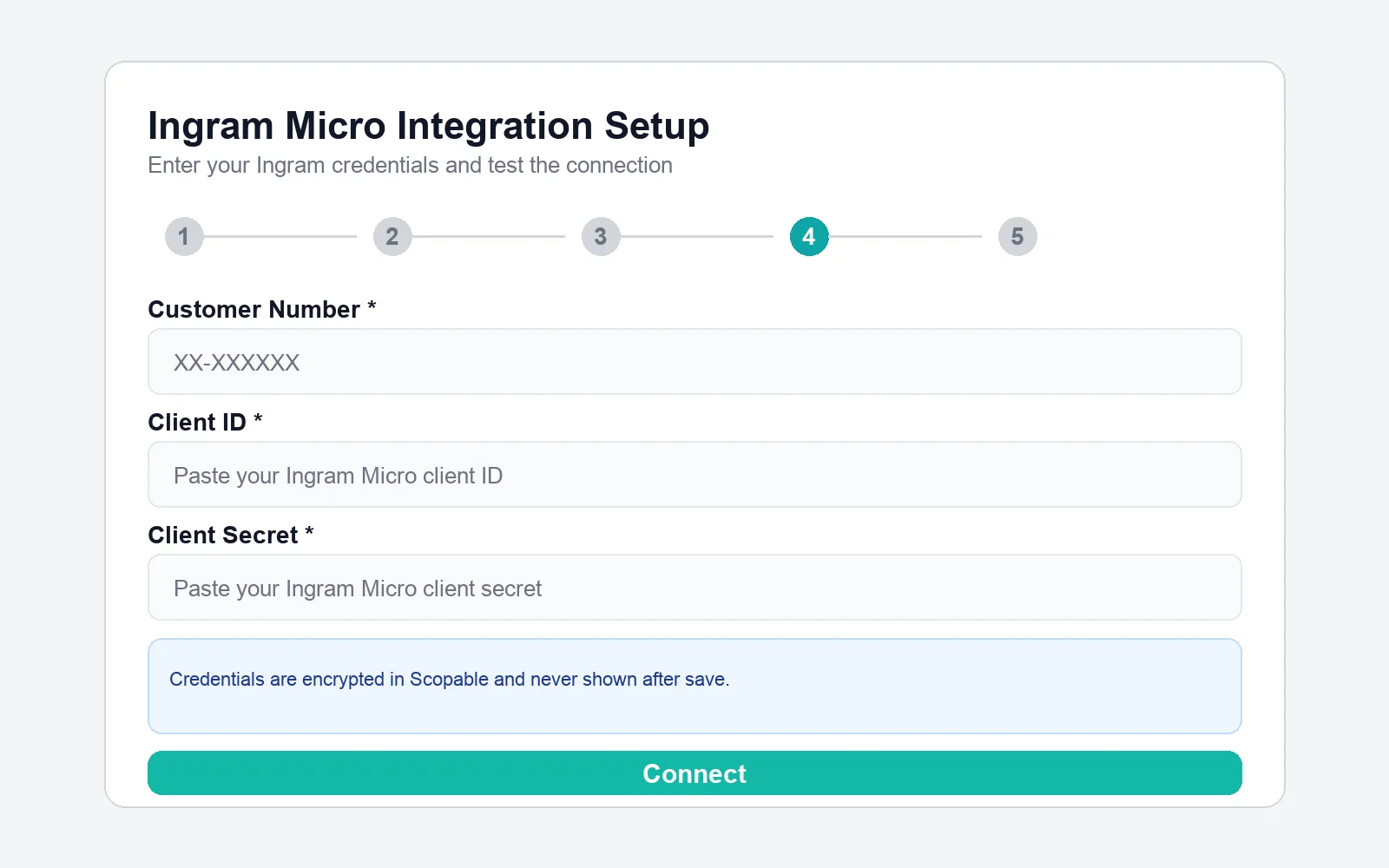
Ingram Micro Xvantage integration setup inside Scopable.
- Create or access your Ingram developer account at
https://developer.ingrammicro.com - Create a production app in My Apps (do not use the auto-created sandbox app)
- Request access to Product Catalog, Price and Availability, Orders, Quotes, Invoices, Renewals, Deals, Returns, and Freight Estimate
- Keep Async Order Management v7 unchecked unless you explicitly need webhook-based order flows
- Wait for Ingram approval (typically 2-4 business days)
- In Scopable, enter your Customer Number, Client ID, and Client Secret
- Click Connect and confirm the integration status turns green
Credentials You Need
- Customer Number:
XX-XXXXXXformat from your Ingram reseller account - Client ID: from your approved production app in My Apps
- Client Secret: from the same app details page
Copy each value carefully. A single incorrect character will cause authentication to fail.
Common Setup Issues
"Invalid API call as no apiproduct match found"
Your production app is either not approved yet or missing required API product access. Reopen your app configuration and verify every required product is enabled.
"Invalid customer number"
The customer number in Scopable does not match the customer number linked to your Ingram app. Use the first 8 characters in XX-XXXXXX format.
"Authentication failed"
Your Client ID or Client Secret is incorrect. Copy both values again from My Apps and retry.
Why This Connection Matters
Once connected, Scopable can pull live distribution data while your team builds quotes. That improves speed, reduces manual copy-paste errors, and gives your account managers current pricing context at quote time.